Inquiries
Form submissions come in automatically, sorted by real or not and intent; AI drafts replies.
Customers → Inquiries in the sidebar.
- Creght sites: a form submission is pushed in as soon as it happens; every 30 minutes anything missed is pulled in, or click "Sync now".
- WordPress sites: in Sites & accounts, pick the site and paste the Webhook address under "Receive form inquiries" into your form plugin's Webhook settings (Elementor, WPForms, Contact Form 7…); instructions for each plugin are there.
If your site has no form yet, ask the assistant to add a quote form.
Three numbers at the top: Inquiries, last 30 days (all form submissions), Real inquiries (pitches, spam and tests removed) and High intent (specific product and quantity, asking for a quote or samples), compared with the previous 30 days. Below are the pages bringing real inquiries and the campaigns (utm_source).
The list shows real inquiries by default; switch to All or Spam / invalid, and sort by intent or by time.
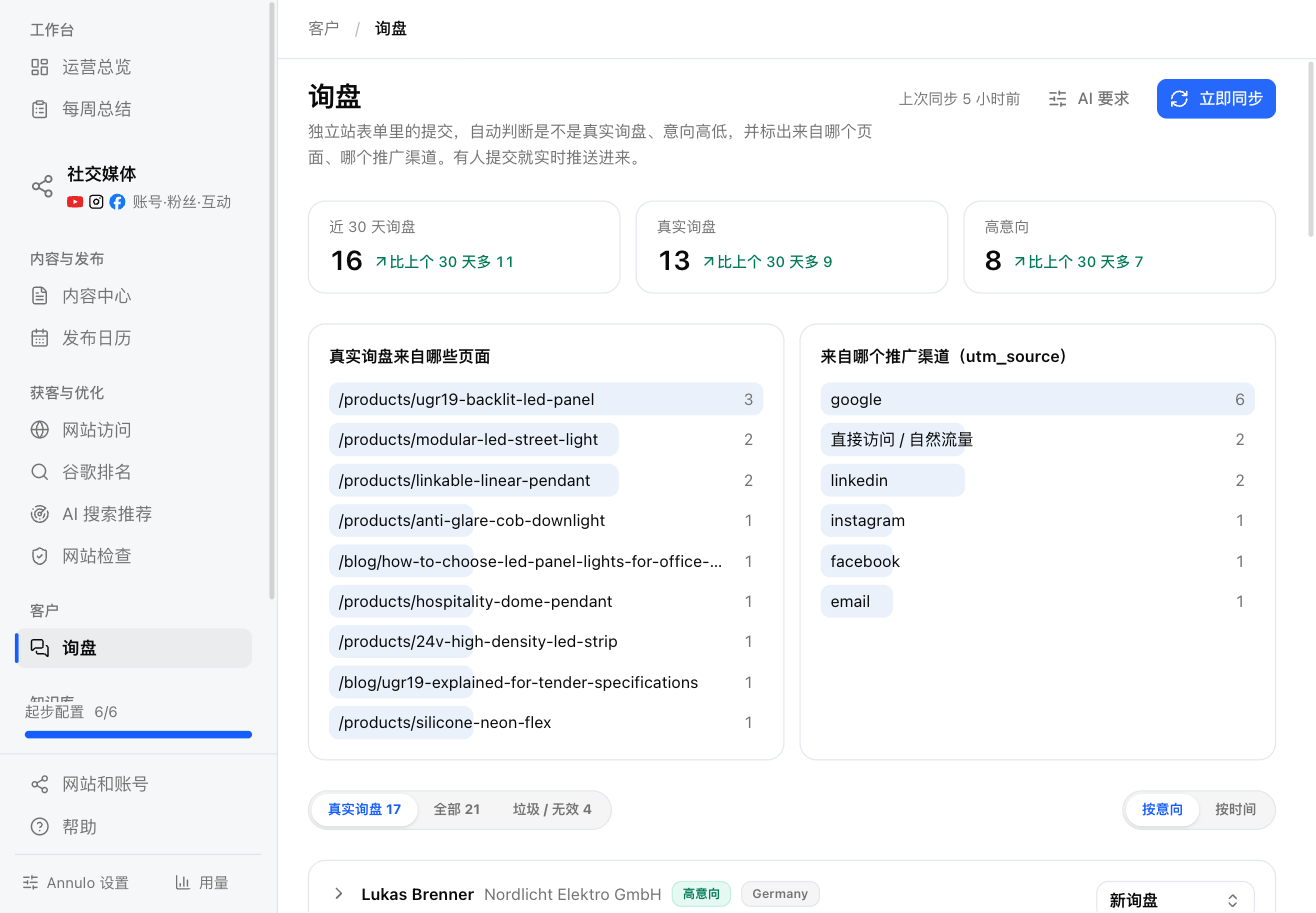
Each new inquiry is judged automatically within minutes:
- Real or not: separated from SEO/web-design pitches, spam and test submissions;
- Intent: High, Medium or Low intent, with a one-line reason.
Open one for the contact, company, title, country, message, raw form fields, source site and campaign, plus "Open the page it was submitted from".
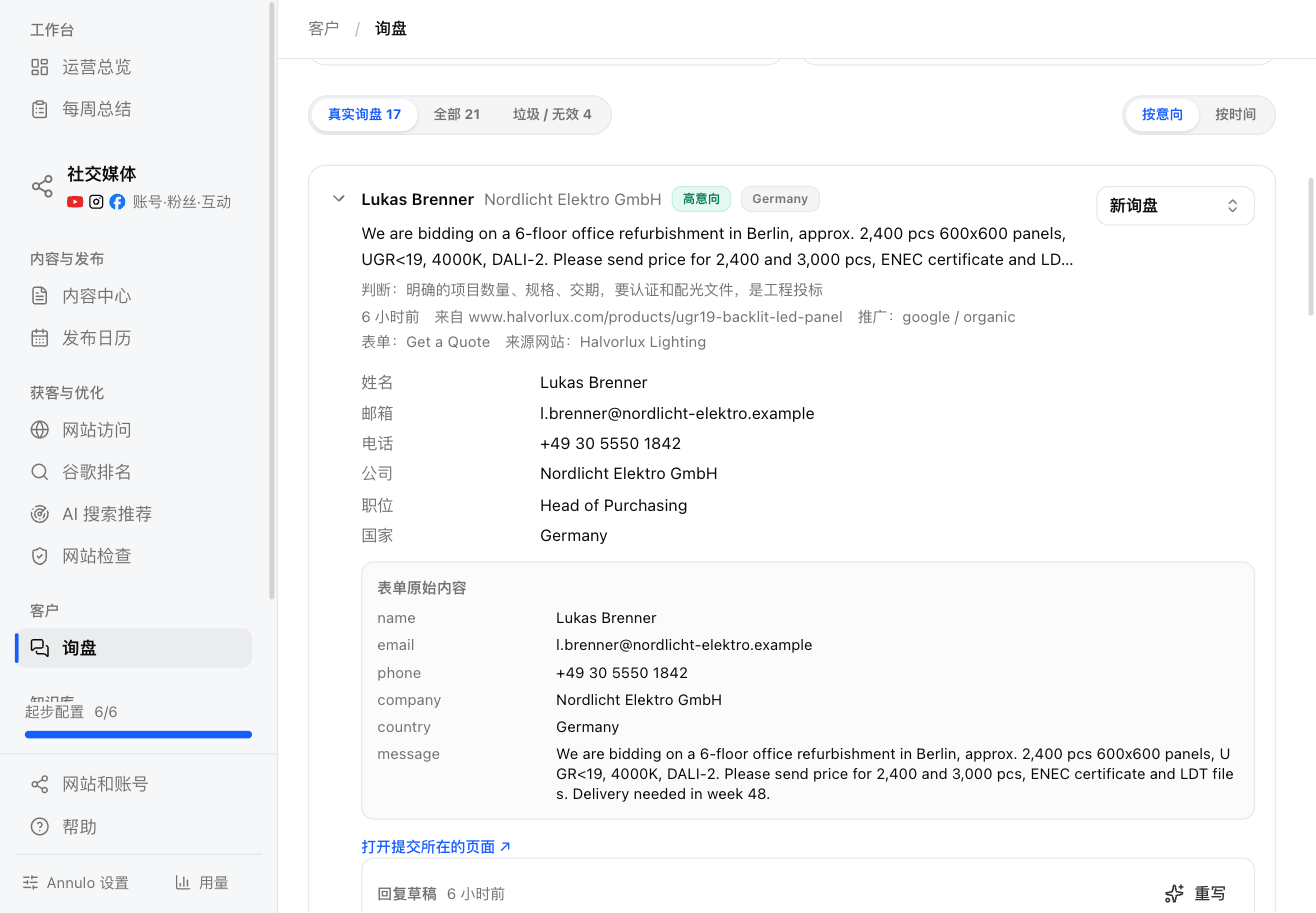
Follow-up status: New → Contacted → Qualified → Won / Lost; spam or invalid ones are marked "Spam / invalid". New inquiries you haven't handled, and contacted ones with no progress for 3 days, show up in Today's work on the Operations overview.
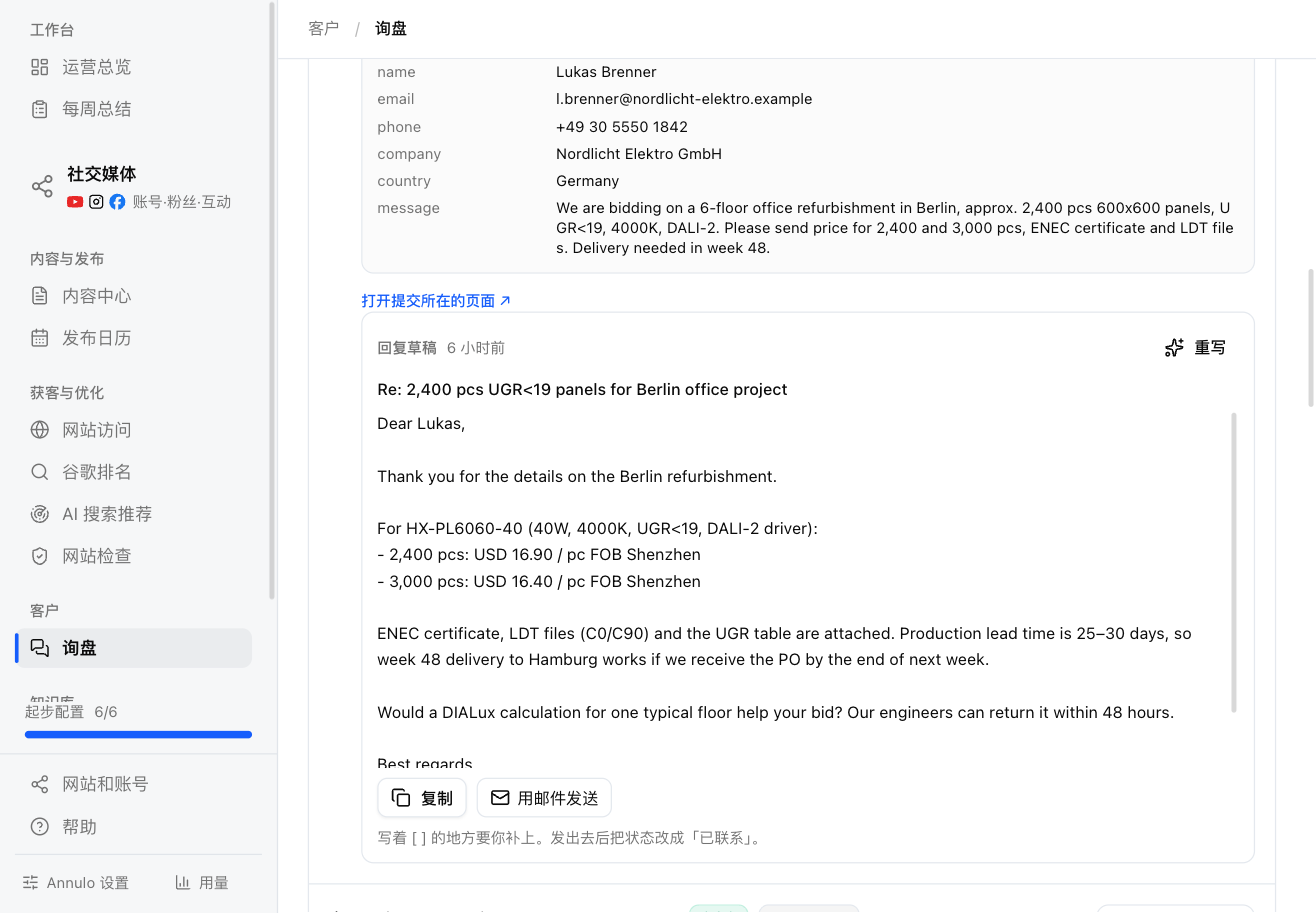
In an open inquiry, "Draft reply with AI" has the assistant write a reply in the buyer's language, about the products and questions they asked. It shows up there; "Rewrite" if you don't like it.
- Prices, lead times, MOQ and anything else not in your details are left as [ ] placeholders for you to fill in;
- "Copy", or "Send by email" (opens your own mail app). After sending, set the status to "Contacted";
- "AI instructions" at the top of the page hold the fixed rules for replies: signature, how to quote, tone, length.
The assistant only writes drafts; it never sends email for you or passes contact details anywhere.