AI search
Ask ChatGPT the questions buyers ask: how it describes you, who it recommends, and whether it cites your site.
Acquisition & optimization → AI search in the sidebar.
- How AI describes you: once buyers know your company name, products or website, they ask AI to research and compare. If the AI gets you wrong, you can lose the customer.
- Who AI recommends: when buyers who don't know you yet ask "which factory makes X", which sites the AI cites, and whether it cites yours (visibility).
Checks run from your computer, half a minute to over a minute per question, automatically every week, without the assistant.
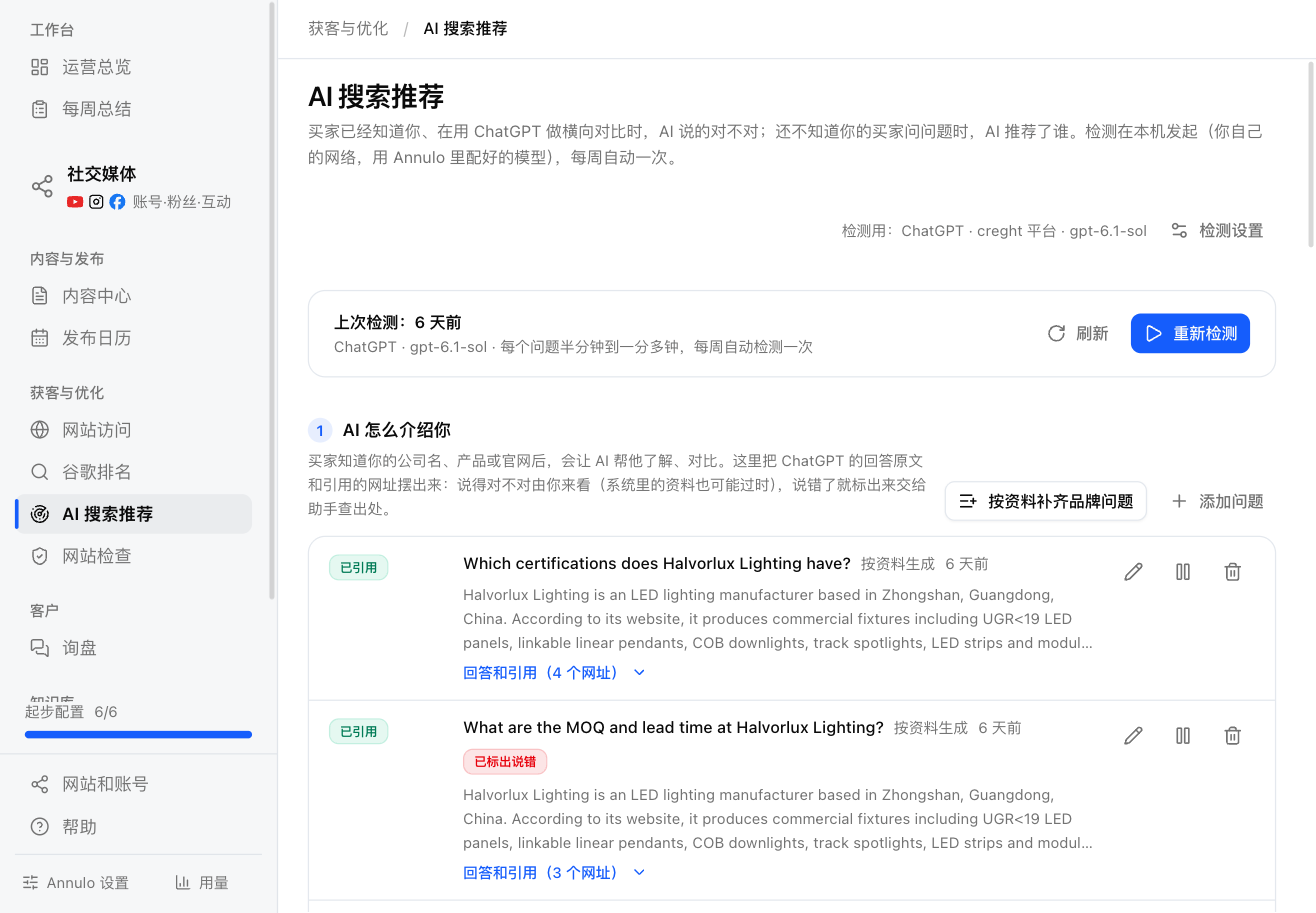
"Check settings" at the top right: pick one of the providers already configured in Annulo's Settings → Models, and a model (leave empty for the default). The provider must support the OpenAI Responses API and web search: OpenAI itself (https://api.openai.com/v1), a compatible proxy, or creght platform models (when creght is connected, billed in AI credits). Keys are managed in Annulo's model settings, so there's nothing to enter here; if no provider fits yet, click "Model settings" to add one. Costs go to the provider you pick.
Then click "Run check"; later it's "Re-run check".
- "Add brand questions from profile" generates the questions buyers ask once they know you (what the company does, which products, MOQ and certifications, the website…) from the company name, brand terms and products in Company & products, in the language of your key regions. You can "Add question" yourself too.
- After a check, ChatGPT's answer sits under each question; open it for the full text, the URLs it cited and "What the AI searched". You judge whether it's right: the system doesn't know what's correct, and your data may be out of date.
- Spotted a mistake? Under "What did it get wrong?" write what's wrong and what's true, then "Find the cause". The assistant traces where it came from (your site isn't clear, another page is outdated, or your data isn't updated) and writes how to fix it, shown below.
- "Generate questions" has the assistant write questions buyers who don't know you would ask (without your company name); tick the ones to add to the library. "AI instructions" changes how it writes them.
- Visibility is at the top: questions whose answer cites your site ÷ questions in this part; brand questions don't count. After two or more checks the history shows.
- "Sites cited most in AI answers" ranks sites by how many questions cite them, marks yours, and opens to show which pages.
- Under each question: where your site ranks on Google for those words (with Google connected) and whether an article on your site answers it. Who gets cited depends largely on page quality and ranking, much like Google.
- "Cited" means the answer links to your site; "Mentioned" means your brand or domain appears without a link, which also needs more content.
- "Turn uncited into topics" has the assistant turn those questions into topics so articles answer them directly.
Each question can be edited, paused (no longer checked), resumed or deleted.
Open a check to see each question's result, then open one for the AI's full answer and every URL it cited. After you change content and publish, look again in a week or two; don't re-run the same day.