Site check
Find issues that hurt Google indexing and AI citations, have the assistant fix them, go live, then see the effect.
Acquisition & optimization → Site check in the sidebar.
Pick a site at the top and click "Run check" (later "Re-run check"). It crawls your site from your computer and checks titles, descriptions, H1, image alt, structured data, sitemap, llms.txt, page speed and more, and gives a score. Ten seconds to a minute, no assistant and no model cost. Published sites are checked at their live address; unpublished ones at the preview address. Every site is checked automatically every 7 days. "Score history" shows how the score changed.
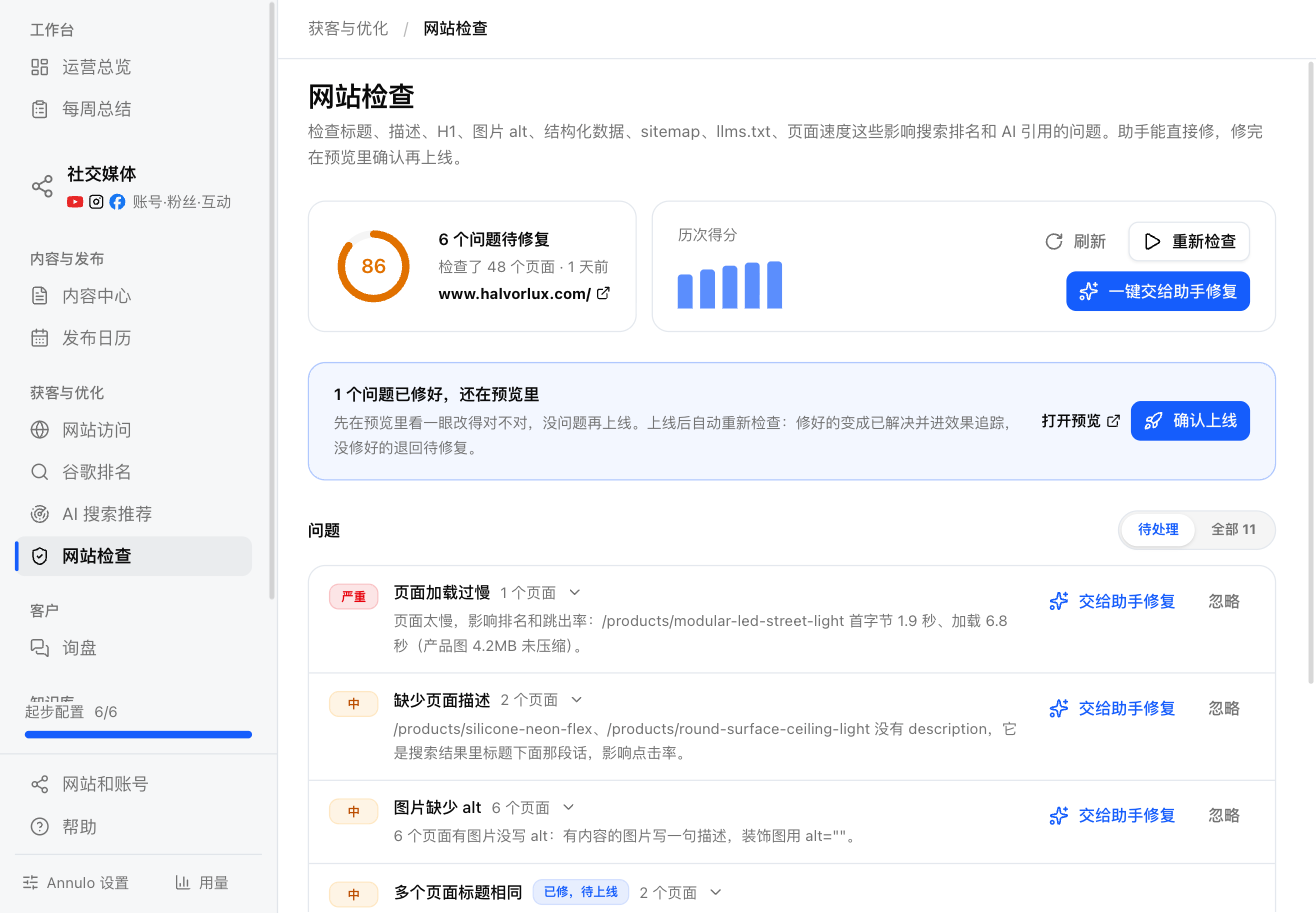
Issues are sorted high, medium, low. By default you see "To do"; switch to All for everything. Status goes To fix → Fixed, not live → Resolved. "Ignore" anything that isn't a problem (you won't be reminded again); ignored issues can be restored.
- "Hand all fixes to the assistant" fixes everything, serious ones first; "Hand to assistant" on one issue fixes just that one.
- The assistant pulls the site code to your computer, edits it, pushes to preview and marks the issue "Fixed, not live". It never publishes on its own.
When there are "Fixed, not live" issues, a notice appears on the page:
- "Open preview" to check the changes;
- "Go live" publishes the site and checks the live address again. Fixed issues become Resolved and go to change reviews; anything still there goes back to To fix.
If you already published elsewhere, "Go live" still re-checks; it just doesn't publish twice.
WordPress sites have no preview: the assistant's changes go live immediately, so it asks you before each one.
17 days after a fix goes live, before-and-after data is compared under Google rankings → Change reviews, and the verdict shows next to the issue. See "Google rankings".