Company & products
Company profile and product directory: what the assistant uses for articles, replies and topics.
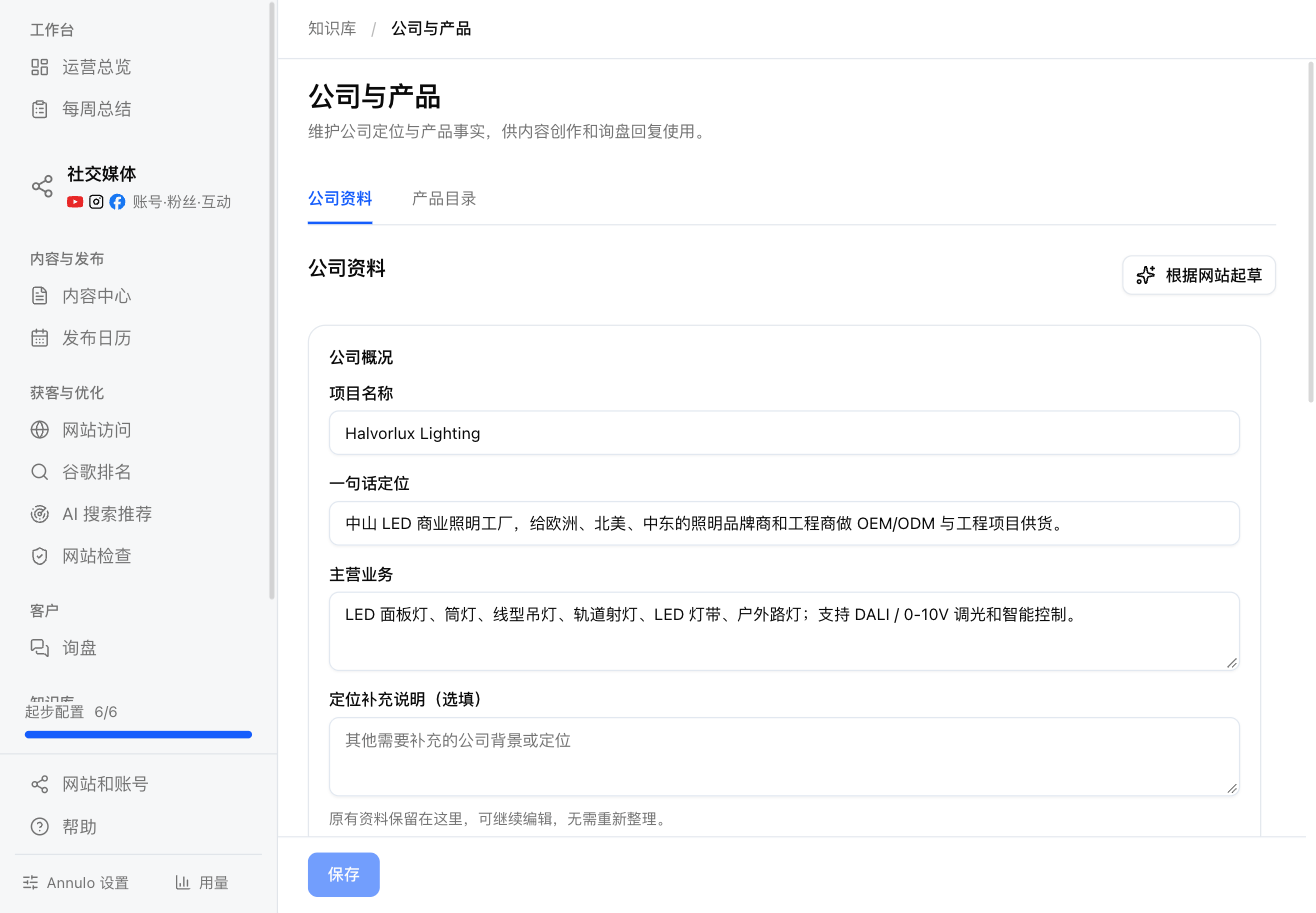
Knowledge → Company & products in the sidebar, with two tabs: "Company profile" and "Product directory". The assistant uses these for topics, articles, inquiry replies and deciding what to fix first, and won't make up facts that aren't here.
The trade brief you confirmed in the setup wizard lives here, in a few sections:
- Company overview: project name, one-line positioning, main business;
- Strengths & cooperation: core strengths (verifiable facts only), company role (own factory / trader / brand), customization and cooperation;
- Customers & markets: customer types, key regions, buyer concerns;
- Brand & content: tone, core keywords, brand terms. People searching brand terms are already looking for you, so they don't count as opportunities in Google rankings; the main part of your domain is included automatically.
Click "Save" when done. "Draft from website" has the assistant read your site and draft it again, saved here; then fill in anything marked as to be confirmed. Older notes (extra positioning and customer notes) are kept here and still editable.
Each product: name, model / SKU, category, summary, specs, MOQ, pricing basis, lead time, certifications, keywords buyers search, product page URL.
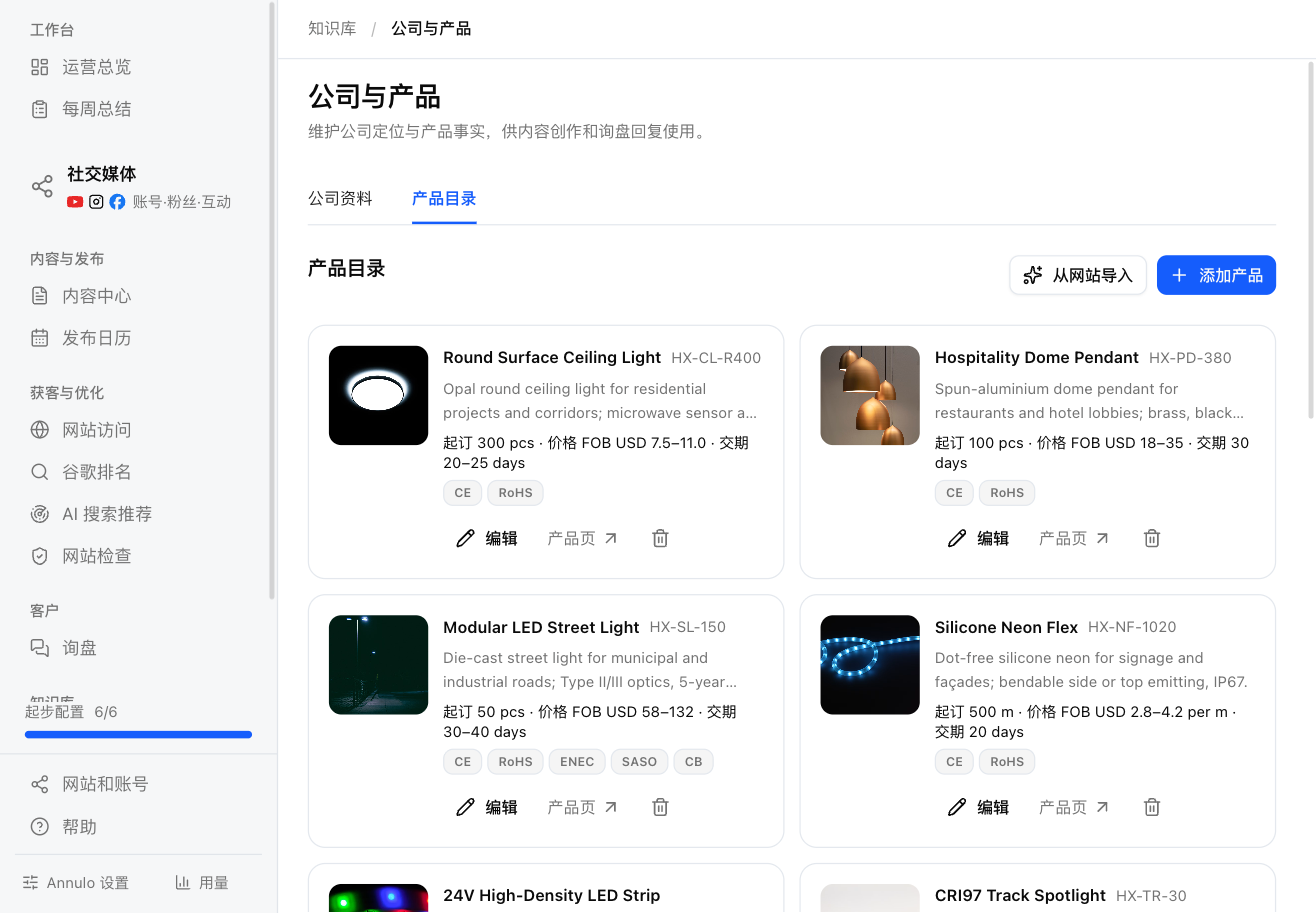
- "Import from website" has the assistant read your site and add the products;
- "Add product" adds one by hand, "Edit" changes one, and you can delete;
- "Stop featuring": keeps the product but the assistant won't cite it; it's marked "Not featured".
If you don't publish prices, leave the pricing basis empty; inquiry replies will leave a placeholder for you to fill in.