Google rankings
Connect Google Search Console for clicks and rankings and find pages worth improving; GA4 traffic; change reviews after going live.
Acquisition & optimization → Google rankings in the sidebar, with three tabs: "Google rankings", "GA4 traffic" and "Change reviews".
- Click "Connect Google" and connect your Google account in Annulo's Settings → Connections (read-only, stored only on this computer), then come back and click "I've connected".
- Link the site to a Search Console property: "Auto-match" finds it by domain, or pick one and click "Link this property".
If the site isn't in this Google account's Search Console yet, add and verify it there first. If it's under another Google account, connect that account too in Settings → Connections.
Google only counts the production domain: an unpublished site has no data, and new sites usually take a few weeks to get impressions. The Google rankings tab supports Creght sites only; for WordPress sites use GA4 traffic. To stop syncing, click "Unlink". History is kept, and linking again resumes the sync.
Choose the last 7 / 30 / 90 days or "Custom" dates at the top. Clicks, impressions, CTR, average position, the daily trend and all pages come from Search Console for those dates and compare with an equally long previous period. Google data lags 2–3 days, so the latest end date is three days ago. Click a day on the trend to see that day's top queries and pages.
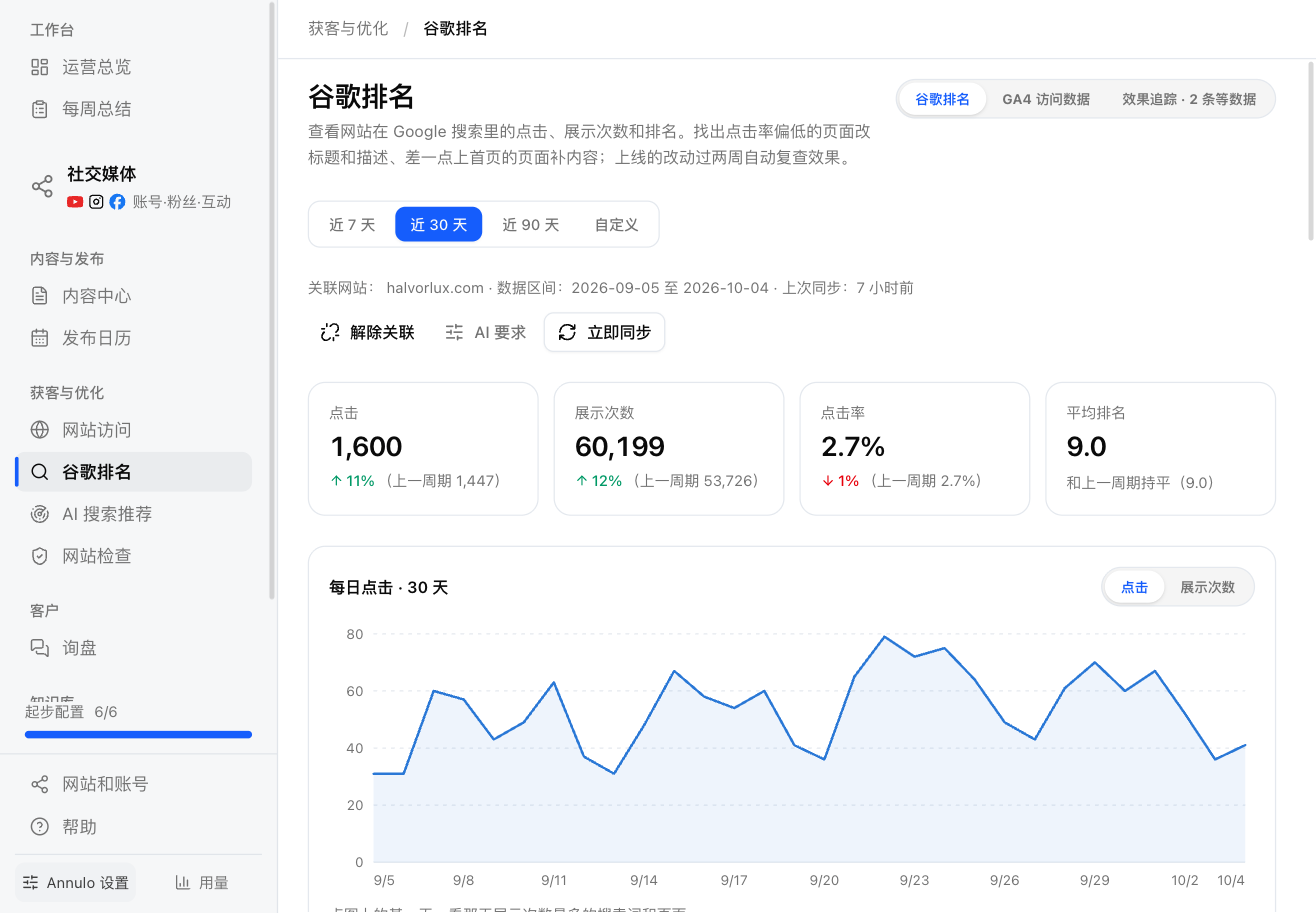
Data syncs daily, or click "Sync now". The two sections below use the synced last 28 days and don't change with the date range:
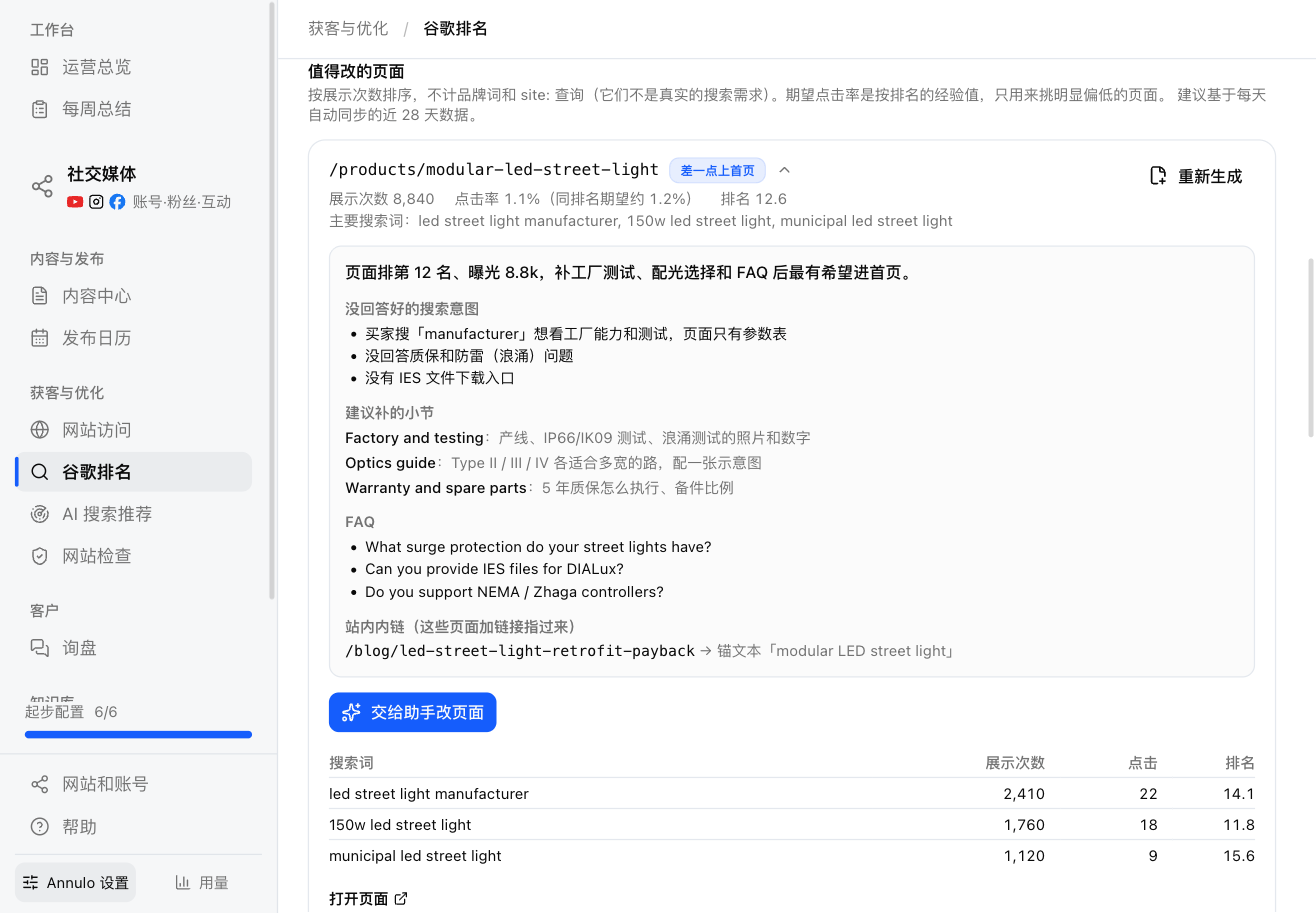
Pages worth improving, two kinds:
- Low CTR: plenty of impressions, but under half the expected CTR for that position; the title and description aren't earning the click.
"Suggest title and description" has the assistant write a suggestion → compare current and suggested → "Hand to assistant" makes the change on preview, you publish → after it's live, "Live, start review".
- Near page one: average position 8–20; a bit more content could get it onto page one.
"Add content" has the assistant write a brief (search intents not answered, sections to add, internal links) → "Hand page edit to assistant" → after it's live, "Live, start review".
"AI instructions" for titles and descriptions can be changed, such as words to include or where the brand name goes.
Searches with no matching page: queries people search with no page of yours ranking (average position below 15). Each sync adds them to topics; "Go to topics" shows them.
Brand terms and site: queries aren't real demand and are left out when picking pages. Brand terms = the main part of your domain + the brand terms in Company & products.
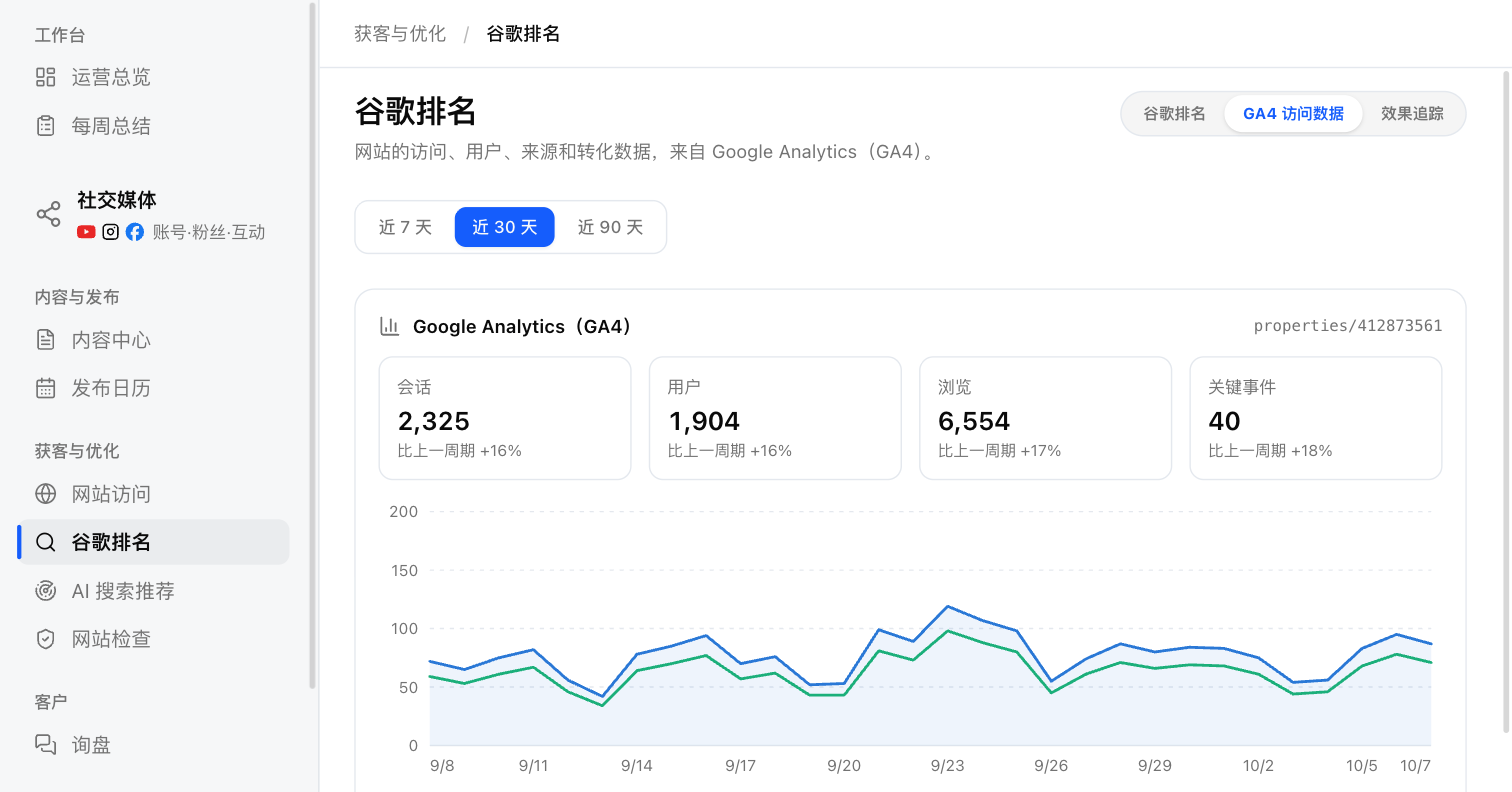
Link Google Analytics (GA4): "Link GA4" finds it automatically, or pick a property and click "Link". You get sessions, users, views, key events (conversions), top pages, source / medium and countries. This is where WordPress sites' traffic shows up.
Fixed site-check issues, articles published to a site for the first time, title/description changes that went live and pages with added content are all recorded here. 17 days after going live, search clicks for the 14 days before and after are compared (page visits if Search Console isn't linked); this runs daily at 9:00, and "Review N now" runs the ones that are due.
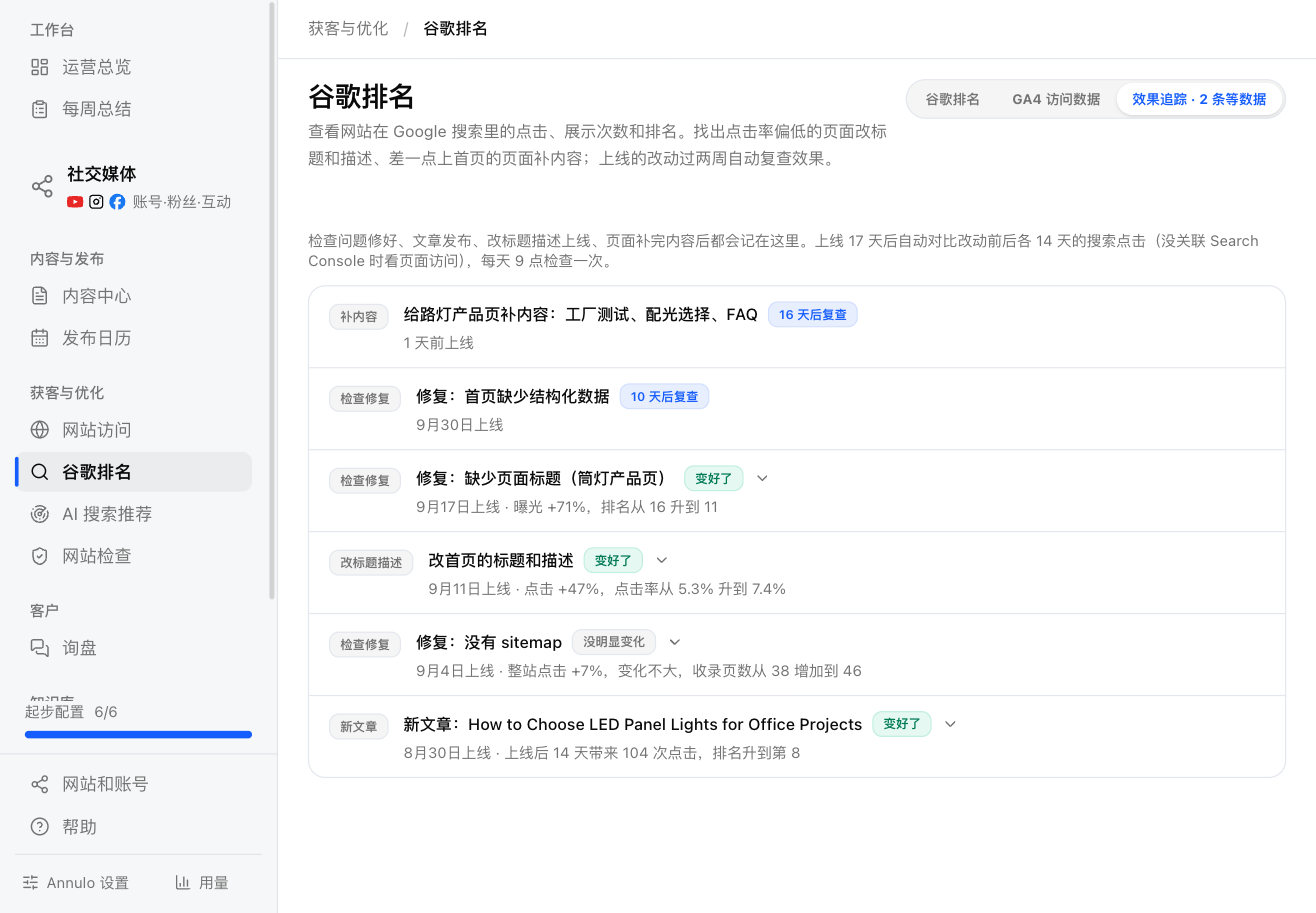
The verdict is Better / No clear change / Worse, or not enough data. It's a before-and-after comparison: seasons and other changes play a part too, so it isn't proof of cause.