Settings and keys
The Annulo settings this template uses: models, connections, keys, plugins, schedules, template upgrades.
Settings live in Annulo, not in the back-office pages: "Annulo settings" at the bottom left of the back office opens them, and "Usage" shows how many tokens the models used. Annulo's own help ("Settings at a glance" on the Annulo website) covers every item; this article covers only what the trade template uses.
Settings → Models offers three kinds: your own provider (API key stored only on this computer), Claude Code / Codex installed on this computer, or creght platform models (when creght is connected, billed in AI credits). Jobs handed to the assistant (drafting the brief, articles, replies, topics, the weekly summary…) use the model chosen here. AI search checks pick their own provider in the page's "Check settings", which must support the OpenAI Responses API and web search; see "AI search".
Settings → Connections:
- Google: used by Google rankings (Search Console) and GA4 traffic; read-only, and you can connect several accounts;
- creght: used for picking Creght sites, site traffic stats, real-time inquiries, online projects and remote access.
| Key name | Used by | Add by hand? |
|---|---|---|
WP_<DOMAIN>_APP_PASSWORD | A WordPress site's application password | No: entered in the add-site dialog and saved for you |
When a feature is missing a key, it tells you to add it in Settings → Keys, with a button that takes you there. Don't paste keys into the chat.
Social media features come from the social plugin. Install and upgrade it in Settings → Projects → Plugins; it upgrades separately from the template.
Settings → Schedules lists what the back office runs on its own. Each shows its last result, with "Run now" and pause:
| Job | How often |
|---|---|
| Judge new inquiries | 5 minutes |
| Pull form inquiries missed by real-time push | 30 minutes |
| Sync Google search data | Daily |
| Change reviews | Daily at 9:00 |
| Check all sites | 7 days |
| AI search check | 7 days |
| Weekly summary (handed to the assistant) | 7 days |
| Publish due social posts | 5–15 minutes per platform |
| Collect social stats | 6 hours per platform |
| Social self-test | Daily at 08:30 |
They only run while Annulo is open; anything missed while your computer was off or Annulo was closed runs once when you open it again.
The current project's template card in Settings → Projects shows "Upgrade to vN" and what each version changed when there's an update.
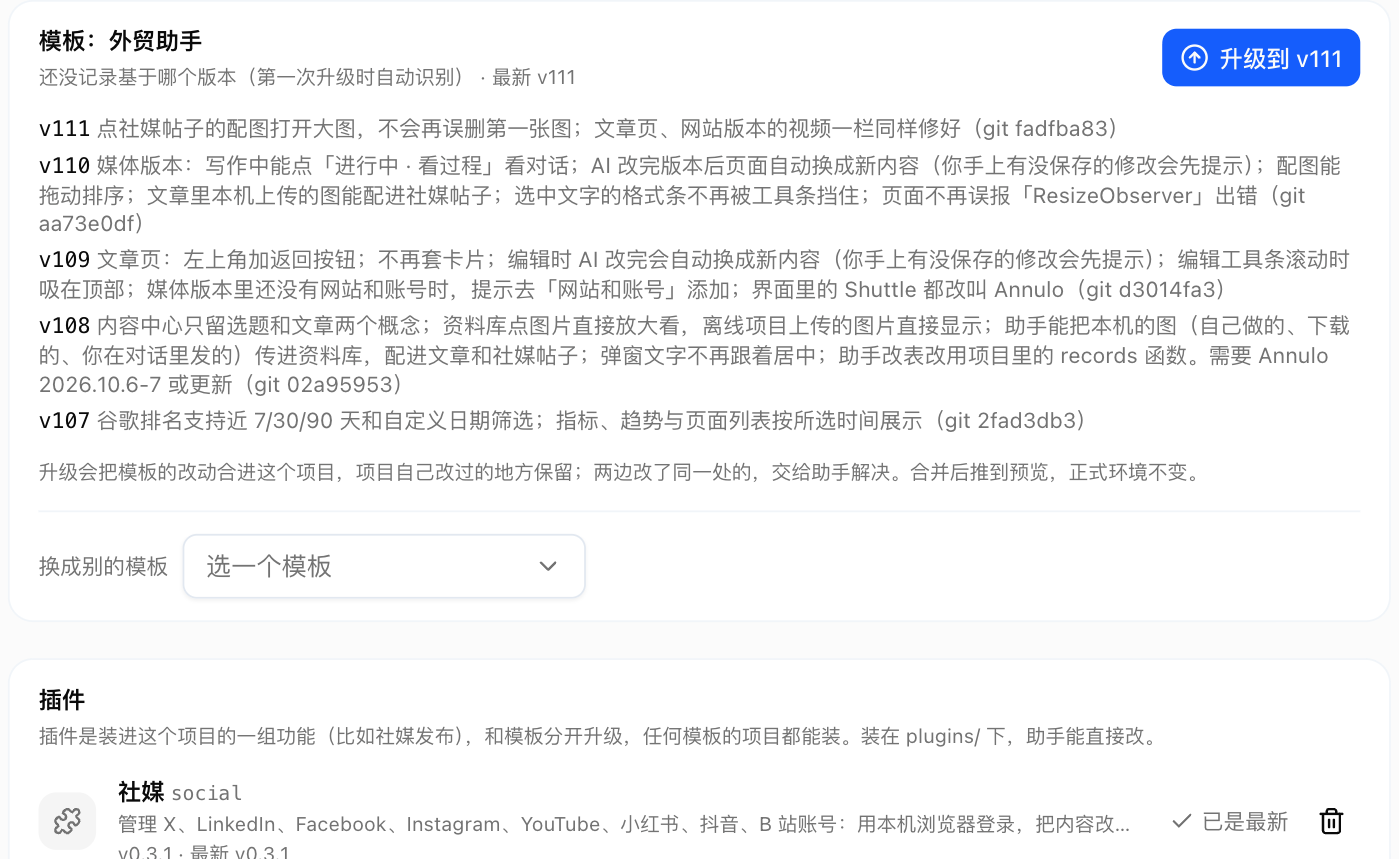
- Upgrading merges the template's changes into your project and keeps your own edits; where both changed the same spot, click "Ask the assistant to resolve";
- Your edited "AI instructions" are stored in the project's
user/folder, so upgrades don't overwrite them; - If the card says to update Annulo first, that template version needs a newer Annulo. Update Annulo, then upgrade.