A stash for what AI builds you.
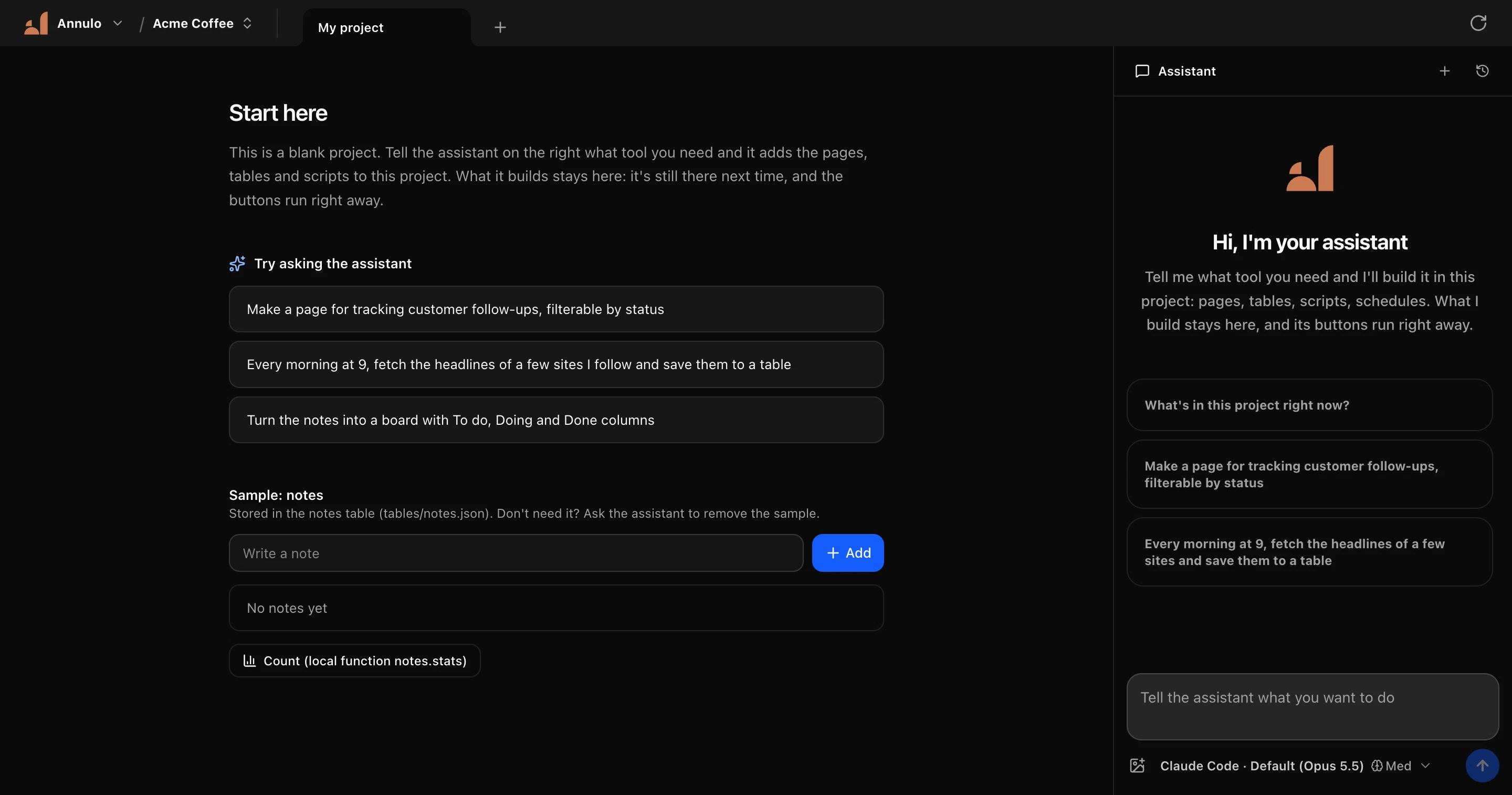
Ask AI for a page, a table, a script or a little tool. Annulo keeps what it builds in a project on your computer: still there next time, one click to run.
macOS 12+ (Apple silicon / Intel) · Windows (x64 / ARM64) · Apache-2.0
AI is great at making things. Then the chat ends.
The page lives in a chat
Next time you need it, you dig through history and ask for it again.
The script sits in Downloads
Run it next week and the setup is gone, the arguments forgotten.
The cloud app can't reach your computer
Local files, the sites you're signed in to, your command-line tools: out of reach.
Annulo gives these things a home: one project per business, everything AI builds goes in, and it keeps working.
What AI makes becomes your software
It runs without the AI
Scripts the assistant writes sit behind buttons and schedules. Click and they run: no tokens, same result every time.
Everything in one place
Pages and scripts share the same tables, so today's dashboard can use yesterday's data.
It's on your computer
Local files, signed-in sites in your browser, command-line tools. Your data stays with you.
It keeps getting better
Every turn is a git commit, so a bad change is one click from undone. Projects upgrade with their template; your own changes are kept.
Your model, your choice
Your own API key, or Claude Code / Codex on this computer.
Say it once. It's built into your project.
- 01
Say what you need
Like briefing a colleague. No code required.
- 02
The assistant builds it in
Pages, tables, local functions and schedules are files in your project, with full history.
- 03
Then just use it
Buttons run on click, schedules run on time. Want a change? Say so.
- pages/Followups.tsx
- tables/followups.json
- local/followups.ts
- schedules/remind.json
Not another chat box
A craftsman: writes the code, then running and keeping it is on you. Annulo can use them as its assistant.
A public storefront: great for sharing, but every tool is its own deployment, and it can't touch your computer.
Acts when you message it; every run goes through the model.
A workshop and a stash: software that stays, runs on its own, and grows with you.
Start from one that's ready
A template is a whole back office: pages, tables, scripts and notes for the assistant. Pick one, then have the assistant fit it to your business.
The code is on GitHub. The data is yours.
Annulo is open source under Apache-2.0. No sign-up and no account needed to use all of it.
Star it on GitHubcreght (optional)
Connect a creght account and you also get:
- Project data in the cloud, on any computer
- Your existing creght projects
- creght's industry templates, like the Export assistant
- Platform models, no API key of your own
- Your back office on your phone
FAQ
Is it free?+
Annulo is free and open source (Apache-2.0). With your own model key, your provider bills you for the model.
Where is my data?+
On this computer by default (~/.annulo). Projects you choose to keep in the cloud live in your creght account.
Do I need my own model?+
Use your own API key, or Claude Code / Codex already installed on this computer. With creght connected you can also use the platform's models.
What about schedules when my computer is off?+
Local jobs need Annulo running; anything missed runs the next time you open it.
What happened to Shuttle?+
Shuttle is now Annulo. An installed Shuttle offers the update, and your projects and data come along unchanged.
Stash the next thing AI builds you
Download Annulo, create a project, and tell the assistant the first thing.