Plugins
A bundle of features any project can install, like social publishing, upgraded separately from the template.
A plugin is a bundle of features installed into a project: local functions, tables, tasks, schedules and skills. It has no pages; those come from the template or the assistant. Any project can install it, and it upgrades separately from the template.
Install, upgrade, remove
Settings → Projects → Plugins:
- Click "Install" under available plugins, or "Install from git" and enter a repo address;
- Upgrade here when there's a new version. It merges like a template does, keeping your changes;
- Plugins a template declares in
annulo.jsonare installed when the project is created.
Plugins live in the project's plugins/<id>/, and the assistant can edit them.
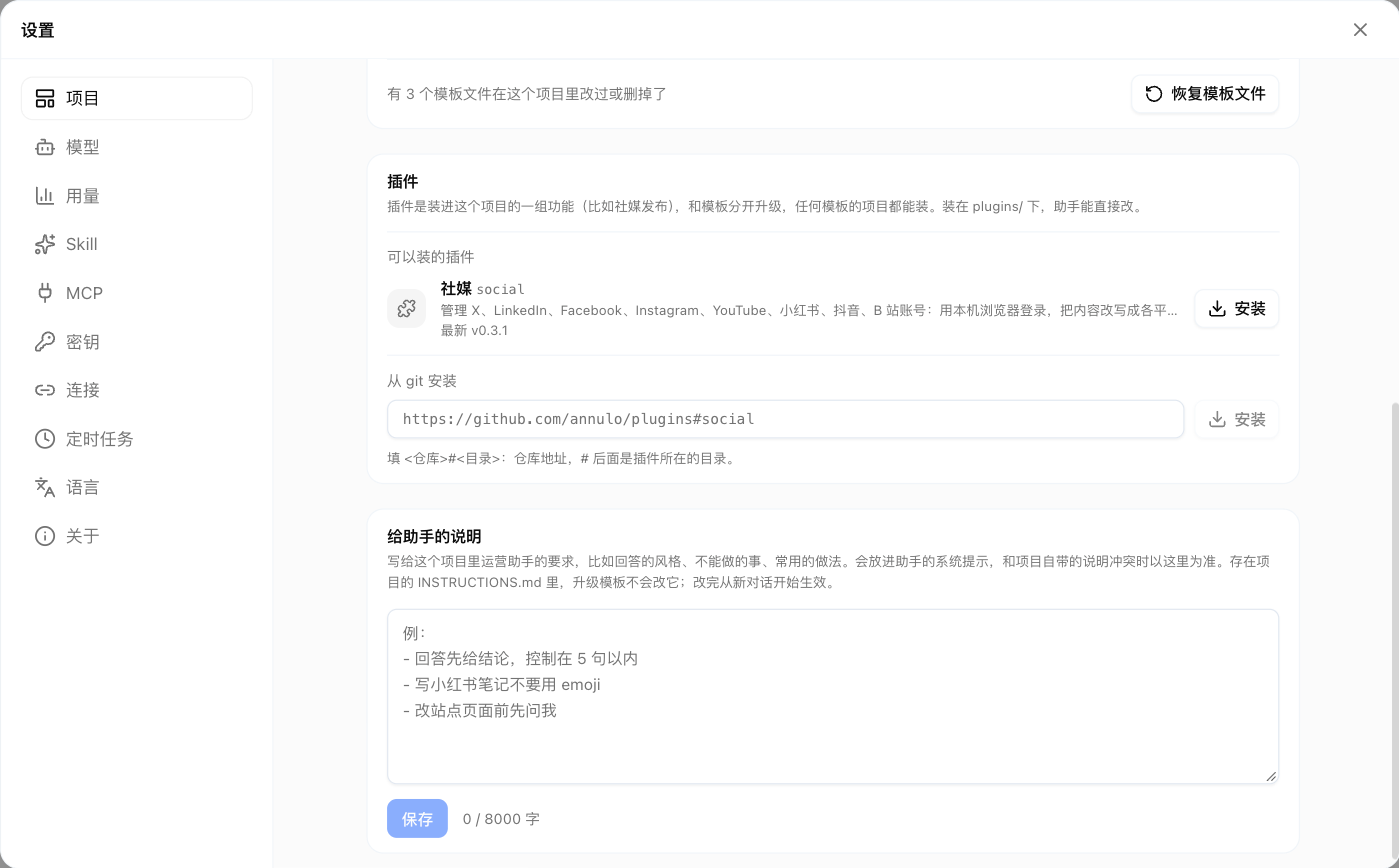
Available plugins
- Social media (github.com/annulo/plugins): manage X, LinkedIn, Facebook, Instagram, YouTube, Xiaohongshu, Douyin and Bilibili accounts. Sign in with this computer's browser, rewrite content into posts for each platform, publish or schedule after review, and collect engagement and followers on a schedule. Creator studio uses it.