Keys, connections and MCP
Bring in outside services: store keys, authorize accounts, add MCP tools.
Keys
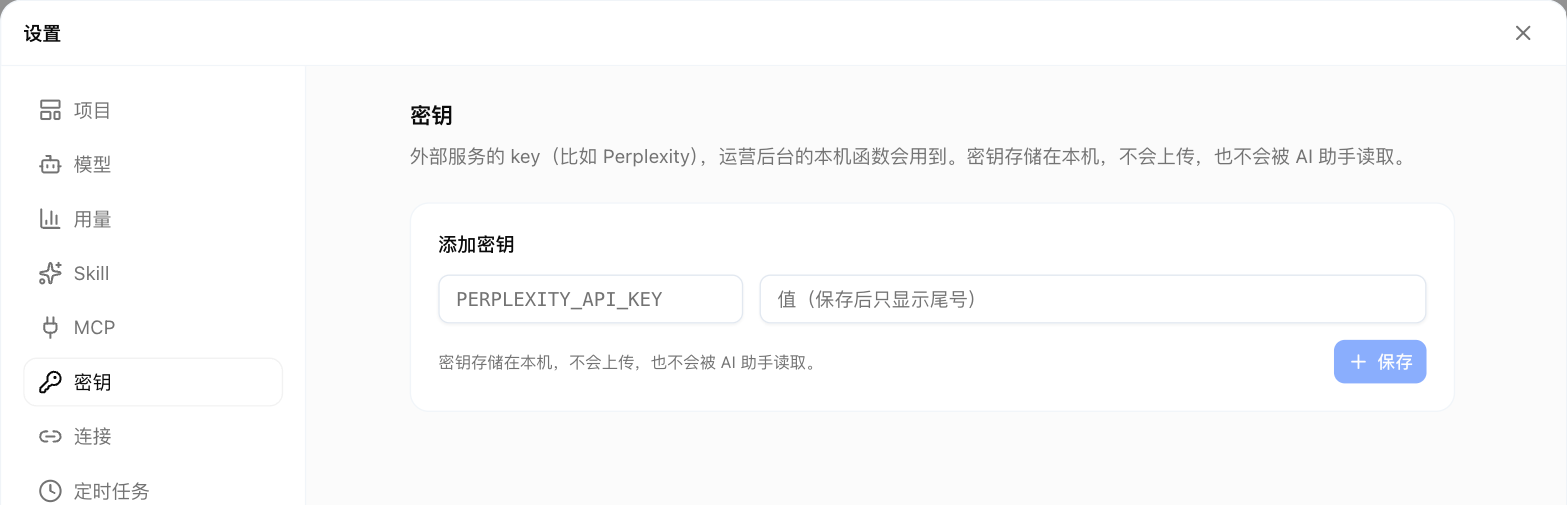
Settings → Keys stores keys for outside services (like Perplexity). Local functions read them when needed; nothing goes into code.
- Stored only on this computer, never uploaded;
- The assistant can't read the values;
- When a feature is missing a key, it says "add XXX in Settings → Keys" with a button to go there.
Don't paste keys into the chat.
Connections
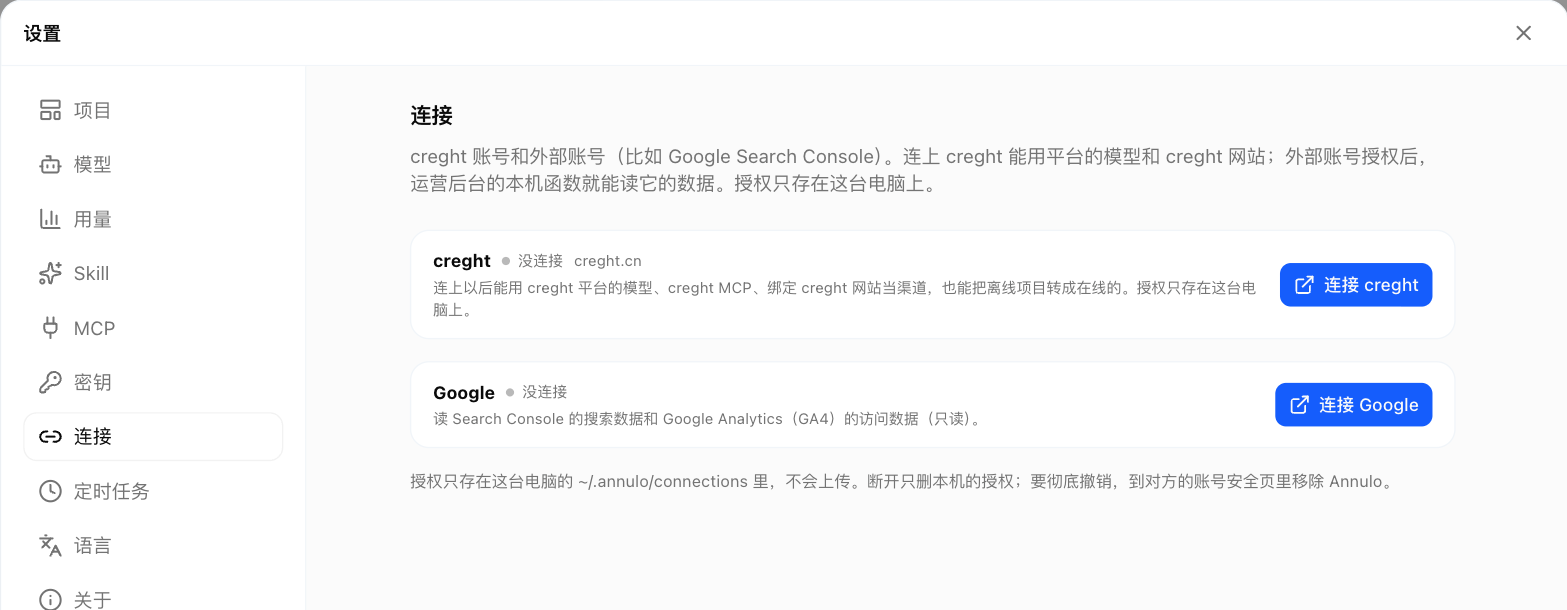
Settings → Connections authorizes outside accounts; the authorization stays on this computer:
- Google: Search Console and GA4 (read-only), multiple accounts supported;
- creght: see Connect creght: cloud and phone.
MCP
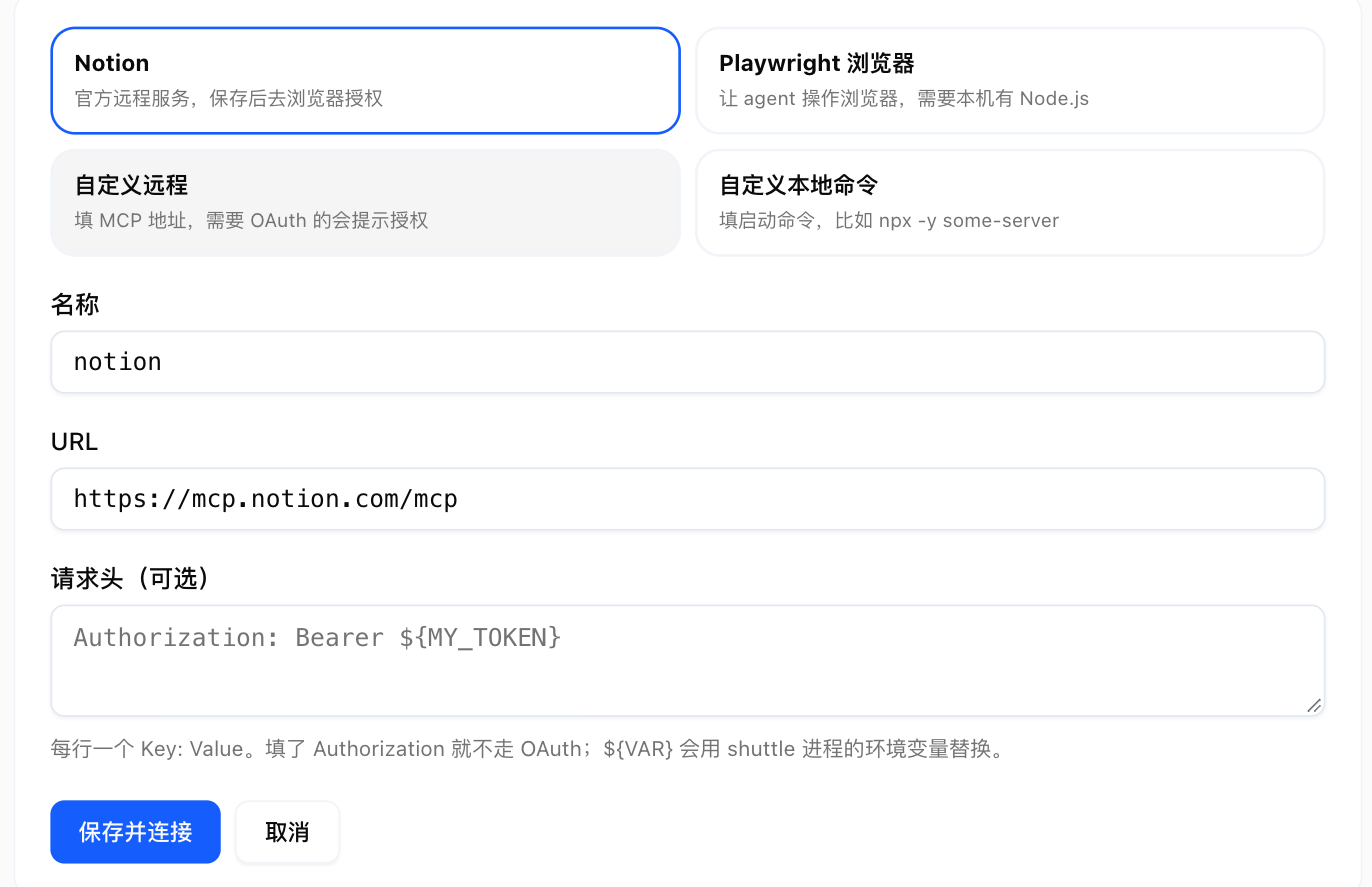
Settings → MCP adds outside tools for the assistant and local functions, like Notion or a browser. Click "Add MCP server"; Notion connects in one click. The config format is the same as Claude Code / Cursor, so you can paste yours in. Each server's tools can be toggled: tool definitions go with every request, so turning off unused ones saves context and cost.
From the command line:
annulo mcp add notion https://mcp.notion.com/mcp
annulo mcp add files -- npx -y @modelcontextprotocol/server-filesystem ~/Documents
annulo mcp list