Templates

Start from something ready

A template is a complete back office: pages, tables, scripts and notes for the assistant. Pick one, then have the assistant fit it to your business; when the template ships a new version, your project upgrades and keeps your changes.

Export assistant
creght templateNeeds a creght account

Export assistant

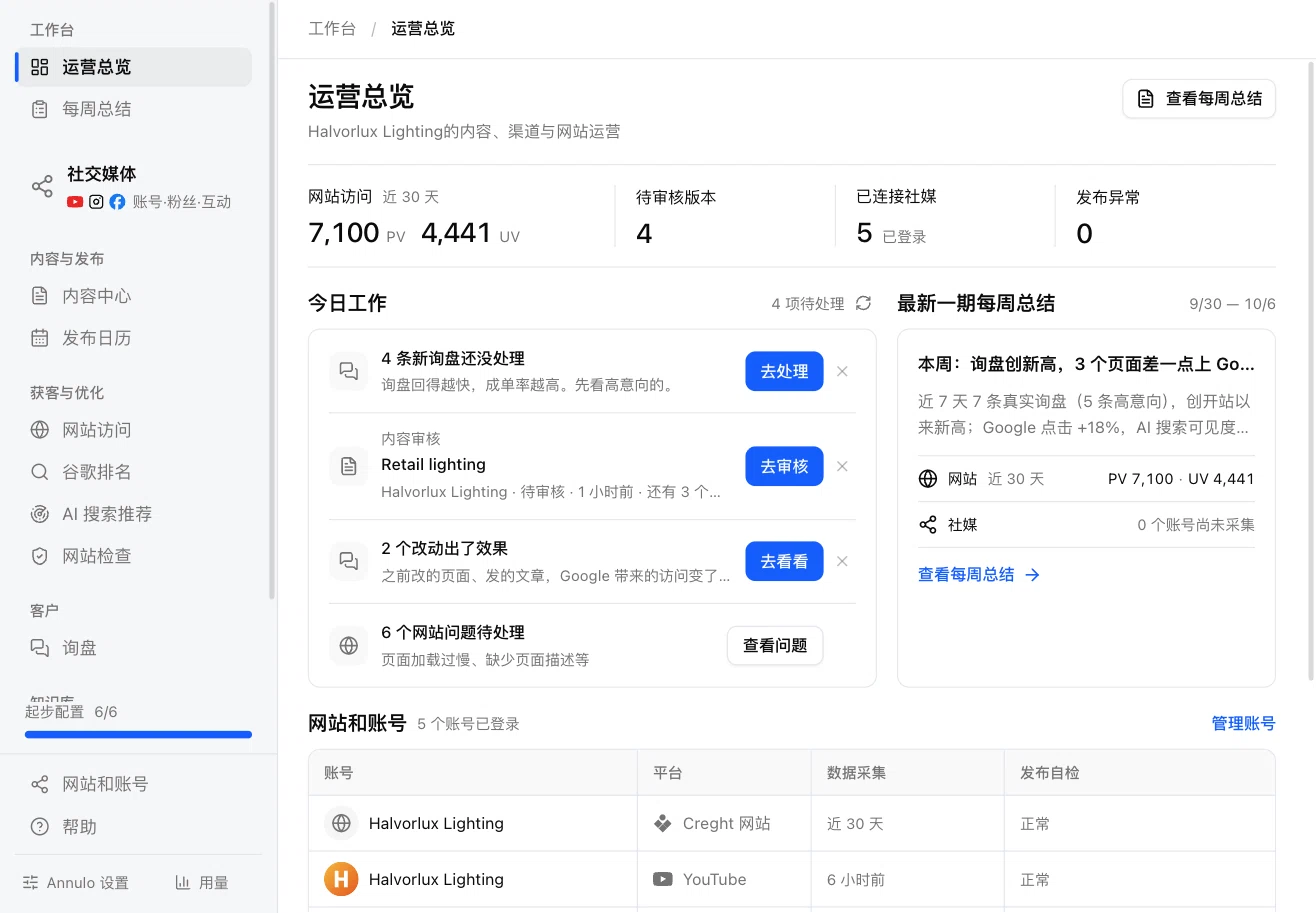
For:Small export teams with a website, publishing content and handling inquiries

A complete export operations back office: website, product data, multi-channel content and inquiry follow-up. Inquiries synced and judged daily; topics and articles each week, rewritten as posts for every platform and published after review; a report every Monday.

Inside
  • Overview
  • Weekly report
  • Content
  • Calendar
  • Social
  • Site visits
  • Google ranking
  • AI search
  • Site audit
  • Inquiries
  • Company & products
  • Assets
data tables
24
data tables
schedules
7
schedules
AI tasks
13
AI tasks
social platforms
9
social platforms
Creator studio
Open-source template

Creator studio

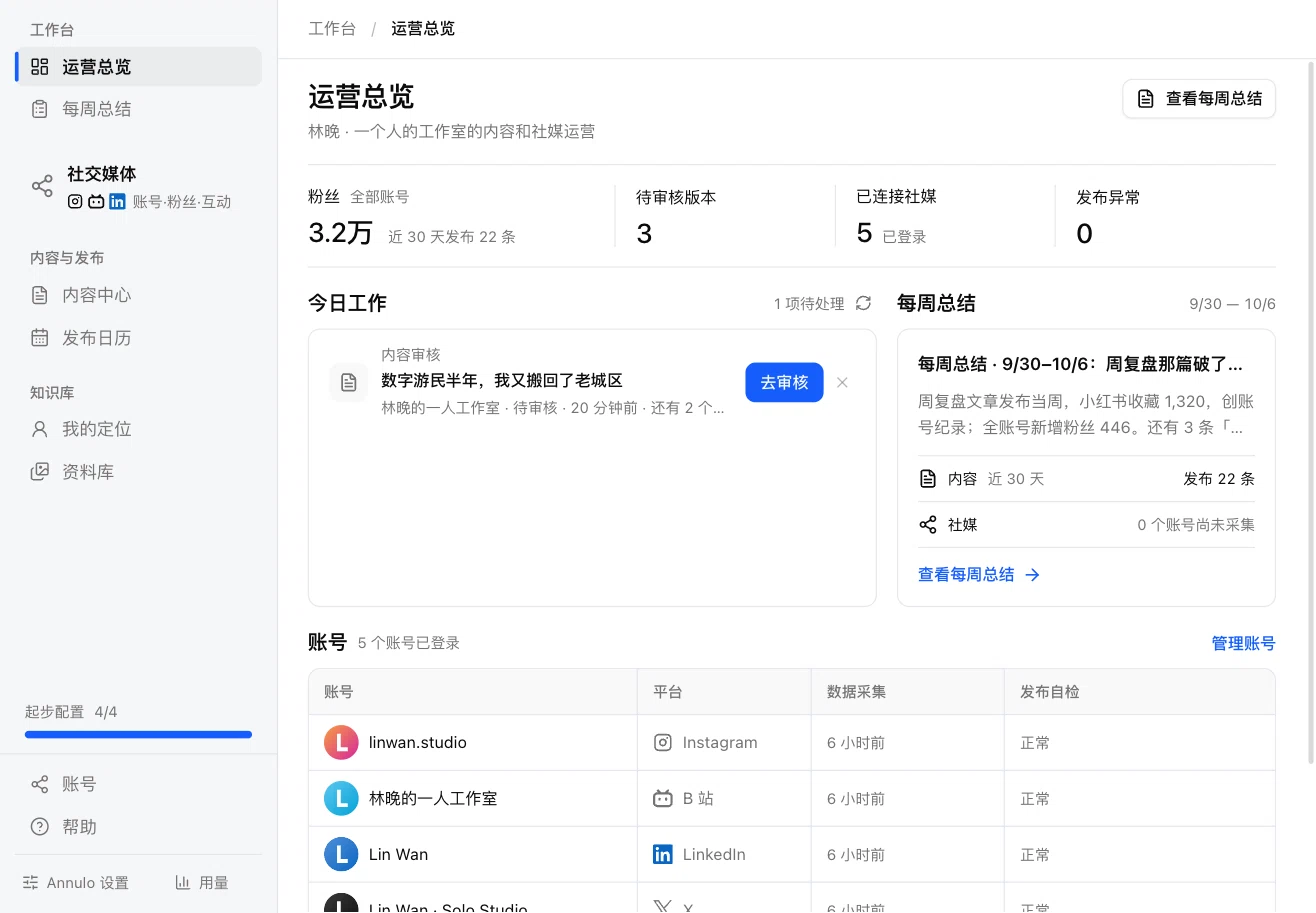
For:Creators, solo writers, one-person studios

Set your positioning, get topics and drafts from it, turn one draft into posts for Xiaohongshu, X, LinkedIn and 6 more platforms, publish or schedule after review; followers and engagement collected, a summary every week.

Inside
  • Overview
  • Weekly report
  • Content
  • Calendar
  • Social
  • Positioning
  • Assets
pages
7
pages
AI tasks
4
AI tasks
social platforms
9
social platforms
accounts to sign up
0
accounts to sign up
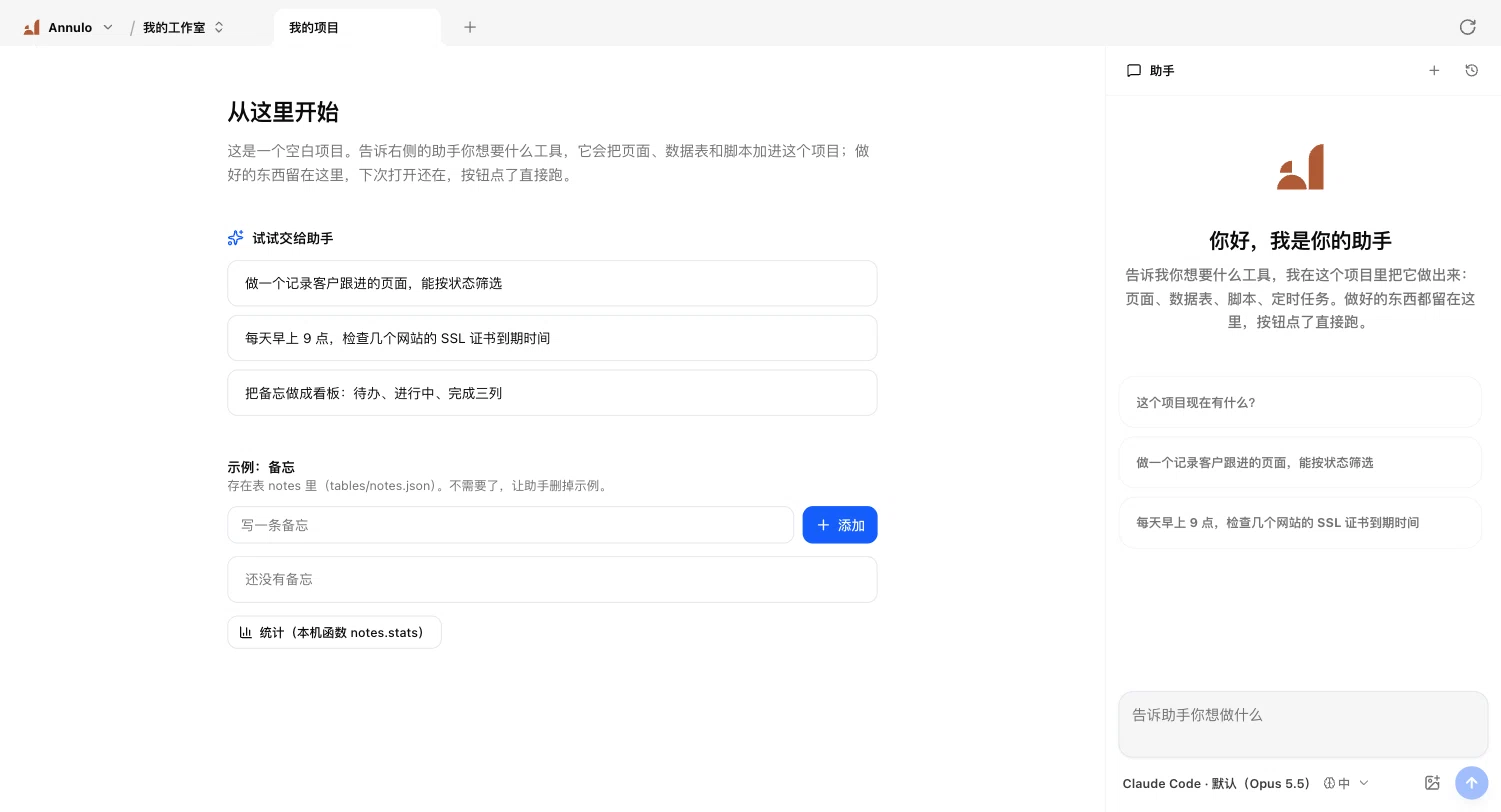
Blank project
Built inOpen source

Blank project

For:Anyone building their own tools from scratch

A home page, a sample table and one local function. Tell the assistant on the right what you need and it adds pages, tables and scripts: certificate reminders, topic roundups, customer follow-ups all grow from here.
Inside
  • A home page
  • A sample table
  • One local function
Your own template

Turn your back office into a template

Any git repo can be a template. Share it with your team, clients or peers: they create projects from it, you ship new versions, they upgrade.

  1. 01

    Put it in a git repo

    Push your project to GitHub or any git host. One repo can hold several templates, one directory each.

  2. 02

    Add an annulo.json

    Name and describe the template, the Annulo version it needs and the plugins to install.

  3. 03

    A tag is a release

    Projects using it see an upgrade card in Settings → Project; the tag message is the release note, and users' own changes are kept.

Pick one and start

Download Annulo and choose a template when you create a project.

Render diagnostics